Screen Printing vs Digital UV Printing: A Complete Industrial Technology Comparison

Introduction: Two philosophies of industrial marking
Screen printing has ruled industrial marking for decades. The method pushes ink through a mesh stencil with a prepared shape, and it gives you unmatched durability and a very low unit cost when you need millions of identical pieces. But the market that screen printing was built for is changing fast. Industry 4.0, reshoring, Just-in-Time inventory, and personalization on demand are reshaping what a production line is supposed to deliver. Despite these changes, screen printing remains a preferred choice for custom apparel and t shirt printing, especially when producing large quantities.
In this picture, digital UV printing – and especially Single Pass systems – is no longer just a tool for prototypes. It has become a real production technology that redefines what “cost-effective” actually means. The conversation has moved beyond printing promotional items. We’re talking about integrating digital marking directly into production lines.
A clear point first: screen printing is far from obsolete. It still delivers excellent durability and works very well for bulk orders and limited-color projects, but choosing the right printing method is crucial to optimize your production needs.
The shift in mindset
The fundamental change is moving from “produce a lot, store it, sell it” to “sell first, then produce, then ship”. In this new model, the procedural weight of screen printing becomes a barrier in some scenarios, while the agility of UV printing creates an advantage in others.
A note before you read on: Both technologies have their strengths and their right place. The point of this article is not to dismiss screen printing – it stays excellent for specific use cases. The goal is an honest comparison that helps companies pick the option that fits their actual production profile.
Process mechanics: Physical stencil vs digital printhead
To understand the economic and operational gap between screen printing and digital printing, we need to break down the pre-press stage. The screen printing process is a traditional method that uses stencils to apply layers of ink to the printing surface, making it suitable for larger designs and a variety of materials. Screen printing requires an initial setup and extensive setup, involving the preparation of matrices and printing forms—specific meshes and stencils that play a real role in delivering ink density and durability by applying ink through the stencil onto the printing surface. This preparation directly affects lead time and economics, especially across different run sizes. While screen printing can deliver fast turnaround on large batches, it always demands more preparatory work than digital. This is where the so-called “hidden costs” come from—costs that simple “ink per piece” calculations tend to skip.
Screen printing workflow
Screen printing is an analog technology built around a physical matrix. Modern screens for screen printing are typically made of synthetic polyester mesh stretched tightly over a frame. Preparing a single multicolor job is layered and time-consuming:
Step 1: Color separation Breaking the artwork into base colors (CMYK or Pantone). Each color needs its own screen.
Step 2: Film preparation Printing transparencies for each color on light-sensitive material.
Step 3: Screen exposure and developing Coating the mesh with photo emulsion, exposing through the film, washing out, and drying. Each color means one screen – a 6-color job needs 6 screens.
Step 4: Registration Precise alignment of every screen on the press (the “carousel”). For complex artwork, this can take anywhere from 30 minutes to several hours.
Step 5: Ink mixing Manual color preparation by Pantone reference or to the customer’s recipe.
During the printing process, ink is applied through the mesh stencil onto the printing surface, which is the material receiving the ink layers.
Each of these steps generates material costs (films, emulsion, chemistry), labor costs, and chemical waste disposal costs. Any change to the design means going through the whole process again. This is the so-called “technology penalty” you pay for flexibility.
Digital UV printing workflow
In digital technology, the physical matrix is replaced by a virtual one—a digital file. The digital printing process begins with this digital file, which is essential for producing the print. The printhead (typically piezoelectric) lays down ink directly on the substrate, and UV LED light cures it on the spot. This makes digital printing a quick and efficient option for small runs and custom projects.
Digital printing, also known as direct-to-garment printing, allows for high detail and color gradients, making it ideal for intricate designs and smaller orders.
Step 1: File preparation Loading the artwork into RIP software (Raster Image Processor) – 2 to 10 minutes.
Step 2: Profile setup Selecting the material preset and print parameters – 1 to 5 minutes when profiles are saved.
Step 3: Print Production starts immediately. In Single Pass systems, you print at line speed.
Operational differences at a glance
| Aspect | Screen printing | Digital UV |
|---|---|---|
| Setup time | 2-8 hours (requires initial setup) | 5-15 minutes (no extensive setup) |
| First piece cost | 200-1500 PLN (depending on color count and initial setup) | Close to ink cost |
| Design change | Full process repeat (new initial setup needed) | Load a new file |
| Per-job prep cost | 500-3000 PLN (one-time setup fee, more economical for large runs) | Near zero |
| Chemical waste | Significant | Minimal |
Key differences: Screen printing involves an initial setup process and one-time setup fees, making it cost-effective for large production runs but less flexible for frequent design changes. Digital UV printing requires no extensive setup, allowing for quick, flexible printing of complex, multicolored designs and is better suited for small batches or frequent changes.
What this means for production
Screen printing carries a heavy time and money threshold for every single job. Digital UV removes those barriers and makes Print-on-Demand realistic. Digital printing is ideal for small batches and just a few shirts due to its low setup costs, making it the better option for orders of fewer than 12 pieces. Screen printing generally requires a minimum order of 12 pieces, but becomes more cost-effective for higher quantity and large quantities, especially when producing bulk orders.
That said, screen printing keeps its edge in scenarios where:
- Print runs are very large (tens or hundreds of thousands of pieces)
- The design stays stable for a long period
- You need a thick ink layer (raised effects done the traditional way)
Economics of scale: The break-even point
The question every production director asks is simple: where’s the break-even point? A decade or so ago, digital was the prototype-and-short-run option. Today, with UV LED and Single Pass, the break-even line has shifted toward thousands or even tens of thousands of pieces, depending on the application. As volume grows, digital eventually loses its cost advantage. When comparing costs, screen printing offers a cost effective solution and lower costs for bulk orders, especially when printing the same design or just one colour, due to economies of scale and the availability of bulk discounts. Cost comparison shows that while digital printing is cost-effective for small, flexible orders, screen printing becomes more economical at higher volumes because the screen prep cost spreads across more pieces—making it ideal for large industrial orders that prize durability and consistency. Bulk discounts can significantly lower the overall cost per unit for large orders, particularly when using one colour or the same design.
Cost structure side by side
Screen printing:
- High fixed cost per job: screen production, ink mixing, and changeovers, with setup costs increasing for each additional color—multi color designs require separate screens for every color, making them more expensive to produce than single-color graphics
- Low variable cost: screen ink is relatively cheap per unit
- Strong scale effect: unit cost drops sharply at high volume, making screen printing a cost-effective solution for bulk orders, especially for simpler or fewer-color designs
Digital UV:
- Very low fixed cost per job: practically just file loading time
- Higher variable cost: UV ink costs more per unit than screen ink
- Flat cost profile: unit cost stays roughly the same regardless of run size
Moving the line – a break-even calculation
In screen printing, unit cost drops hyperbolically as run size grows, because the heavy prep cost spreads across thousands of pieces. This makes screen printing especially cost-effective for large quantities, particularly when the design uses just a few colors. In digital, unit cost is flat.
Sample calculation – logo on a plastic container:
Screen printing (4 colors)
- 4 screens cost: 800 PLN (one-off)
- Changeover cost: 600 PLN
- Ink per piece: 0.03 PLN
Total = 1,400 PLN + (0.03 PLN × quantity)
Digital UV
- Setup cost: 30 PLN (operator time)
- Ink per piece: 0.12 PLN
Total = 30 PLN + (0.12 PLN × quantity)
Break-even point:
1,400 + 0.03X = 30 + 0.12X
1,370 = 0.09X
X ≈ 15,222 pieces
For runs under 15,000 pieces, digital comes out cheaper. Above that line, screen printing wins. Note: Designs with just a few colors are more cost-efficient for large quantities in screen printing, maximizing both visual impact and economic benefit. These numbers are illustrative.
What shifts the break-even
The real break-even depends on several variables:
1. Number of colors More colors in the design means more screens, which makes screen printing more expensive. In digital UV, price is independent of color count – CMYK+W in one pass. With 8 colors, the screen printing break-even can move past 30,000 pieces. Additionally, complex designs and intricate designs are better suited for digital printing methods, as screen printing is more efficient for simpler graphics due to stencil and setup limitations.
2. How often the design changes If the artwork changes every month (promotional campaigns, seasonal versions), screen printing prep costs stack up fast and push the break-even hard toward digital.
3. Cost of tied-up capital Screen printing forces production for stock – you need large batches to amortize the setup. Digital UV lets you produce exactly what you need, freeing working capital.
4. Storage costs Stock printed via screen printing takes up warehouse space and carries obsolescence risk. Print-on-Demand takes that cost off the table.
Real-world operating data
Industry analyses point to the following figures:
- Cost to print across a full UV LED working bed: roughly 0.25 EUR
- Energy use: UV-LED printers consume 40-60% less energy than traditional screen printing systems with drying tunnels
- Chemistry and disposal savings: 70-90% reduction compared with screen printing
The practical takeaway: In modern industry where production runs are getting shorter (mass customization), “more production” often means a 5,000-piece run across 50 graphic variants. Screen printing makes no economic sense there. Digital UV is the efficient option.
Quality and aesthetics: Halftone limits vs photo realism and special effects
Print quality isn’t only about resolution – it’s also about finishing options that build margin on the final product. Both technologies offer different visual capabilities.
Screen printing works especially well for bold, solid-color graphics and produces vibrant colors that remain bold on dark fabrics. It delivers high quality and durable prints, but it has limits in rendering color gradients, smooth tonal transitions, and continuous tone work. The color palette in screen printing is tied to available inks, usually from a Pantone library, which becomes a problem on projects that need a wider color range. Screen-printed designs can also feel heavier or stiffer on the fabric compared to digital prints.
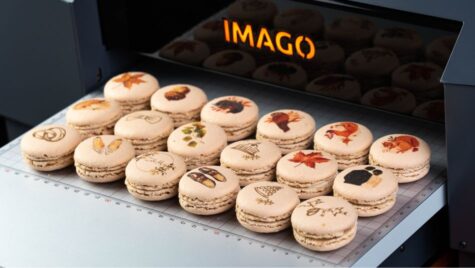
Digital UV printing is generally preferred for designs with fine details, intricate details, gradients, or a wide color spectrum due to its precision and ability to handle complex designs. Digital prints are lighter and integrate more seamlessly with the fabric, maintaining its breathability and texture. You get high-quality prints including detailed graphics, photos, and special effects with smooth gradients.
The short version: digital gives you finer detail, the ability to print smooth tonal transitions, intricate details, and complex artwork, while screen printing excels at vibrant colors and bold, less detailed images.
Resolution and detail
Screen printing:
- Effective resolution: roughly 80-120 lpi (lines per inch), or about 200-300 dpi
- Limited precision on complex geometry (mesh distortion)
- Smooth gradients are hard – the halftone pattern shows
- Smallest text size: 6-8 pt
- Excellent on vector graphics and solid colors
Digital UV:
- Standard resolution: 600×600 dpi
- High resolution: 1200×600 dpi or 1200×1200 dpi
- Drop size: 1.5 to 42 picoliters (controlled in flight)
- Color registration accuracy: ±0.1 mm
- Smooth gradients with no visible structure
- Smallest text size: 4 pt
- Photographic quality on photos and complex artwork
Finishing options
Effects available in screen printing:
- Raised print (thick ink layer)
- Tactile relief – screen printing produces raised prints by applying thick layers of ink, resulting in bold, vibrant, and tactile designs with strong contrasts, especially effective on darker fabrics. This technique gives you special textured effects with high durability and quality, even at production scale.
- Special inks (metallic, fluorescent, phosphorescent)
- UV varnishes through screens
- Tactile effects via repeated ink layers
Effects available in digital UV:
- 3D structural printing (building real physical texture)
- Spot varnish in a single pass
- Haptic effects (wood, leather, textile imitation)
- Braille printing – raised text for blind users
- Selective matt/gloss in one print pass
- Precision micro-prints and security features
The key difference: In screen printing, getting raised effects requires applying multiple thick ink layers and drying between each one—an energy-heavy process that’s hard to register precisely. In digital UV, 3D effects come from controlled ink layering and instant LED curing, all in a single pass.
Repeatability and quality control
Screen printing:
- Color depends on the operator mixing inks
- Screens degrade over time (quality drift across the run)
- Frequent checks and adjustments needed
- Reproducing exactly the same color across separate runs is hard
Digital UV:
- Automatic calibration and ICC profiles
- Stable quality across the entire run
- Real-time monitoring
- Full repeatability between runs
- Documented print parameters
Substrate range: From paper to difficult plastics
One myth says screen printing “sticks to anything” while digital is delicate. In reality, screen printing is the most popular method for creating high-quality, durable designs on apparel and can be used on many surfaces including paper, metal, glass, and wood. Both screen printing and digital printing handle a wide range of substrates—plastics, paper, metal, wood, glass—as well as a variety of fabric types, including cotton blends, synthetic fabrics, performance fabrics, and dark fabrics. The choice of material and an honest analysis of its surface behavior matter for print quality and durability. This is especially relevant for flexible substrates, where digital can have adhesion limits. Screen printing is commonly used for large orders of t-shirts and hoodies with 1–4 solid colors and remains a versatile option across different fabric types. Modern UV ink chemistry and LED curing have changed the picture for digital.
Materials compatible with screen printing
Screen printing has good adhesion on most industrial substrates:
- T shirts: A common and versatile fabric for screen printing, ideal for large-scale projects and capable of showcasing bold, intricate, or multi-colored graphics.
- Plastics (ABS, PC, PMMA, PVC)
- Metals (aluminum, steel – after proper preparation)
- Glass (with primer)
- Wood and wood panels
- Paper and cardboard
Limitations:
- Prefers flat surfaces (the screen distorts on 3D shapes)
- Trouble with low-surface-energy materials (PP, PE) without activation
- Needs different ink formulations for different substrates
Materials compatible with digital UV
UV LED printers can print directly from a digital file onto almost any rigid or flexible substrate, allowing for digital printing work that is both versatile and efficient. Designs can be printed onto various materials without the need for intermediate steps:
Plastics:
- PP, PE (with plasma/corona activation)
- ABS, PS, PMMA, PC, PVC
- Composites and laminates
Metals:
- Aluminum (including anodized – via nanosolvent technology)
- Steel, stainless steel
- Precious metals
Other materials:
- Glass (standard and tempered)
- Raw and lacquered wood
- Natural and synthetic leather
- Ceramics
- HPL, MDF, composites
Adhesion support systems
Primers and surface activation: Many applications benefit from a primer (an adhesion-boosting undercoat) before UV printing. Primer is applied only where the print will go, which cuts material use and skips full-surface preparation. Surface prep gets faster and adhesion improves on harder substrates.
Plasma/corona activation: For materials with very low surface energy (PP, PE), surface activation systems are used:
- Atmospheric plasma
- Corona discharge treatment
- Flame treatment
Lab verification: Established digital technology suppliers offer a Proof-Lab process where:
- The customer sends in their actual materials and product geometries
- Adhesion testing is performed (cross-hatch test per ASTM D3359)
- Resistance testing: abrasion, chemical, UV aging
- A dedicated process profile is built
- Printing happens on actual finished 3D parts
Direct-to-Shape printing on 3D parts
Unlike screen printing, which prefers flat surfaces, UV printers with high gantry clearance can print on assembled 3D objects with varying heights. Direct-to-shape printing is a popular method and a modern printing technique for complex geometries, allowing products to be marked without disassembly.
Direct-to-Shape (DTS) systems:
- Automatic height measurement (Auto-Z) with laser sensors
- Rotary modules for cylindrical objects
- Multi-axis systems for complex geometries
- 3D scanning with distortion compensation
Durability, resistance, and process ecology
In an era of ESG reporting and rising energy prices, environmental factors have become hard financial arguments.
Screen printing delivers high durability on industrial substrates. Its mechanical resilience means prints resist cracking, peeling, and abrasion during use. Prints stand up well to weather exposure and UV. Other strengths include fast turnaround on large orders and the option of raised printing, which makes products visually more attractive.
Mechanical and chemical durability
Screen printing:
- Very good mechanical resistance (thick ink layer)
- High abrasion resistance
- Chemical resistance depends on ink type
- Special inks available for extreme durability needs
Digital UV:
- Immediate resistance after LED curing
- High chemical resistance (alcohols, detergents)
- Excellent scratch resistance (with proper varnish)
- Resistance to UV and weather
- No lamination needed for outdoor use
The point: Both technologies deliver comparable durability when chemistry is matched to the application. What matters is testing under conditions close to real use.
Energy efficiency
Screen printing energy use:
- Drying tunnels (IR or gas) need continuous operation
- Massive power draw even when not printing
- Long warm-up before production starts
- Heat radiated into the production hall (extra HVAC cost)
Digital UV LED energy use:
- Energy used only at the moment of curing (fractions of a second)
- No heat generation – safe for heat-sensitive materials
- Instant ready state (no warm-up)
- Low-power standby mode
Estimated energy savings: 40-60% compared with screen printing lines that include drying tunnels.
Emissions and the work environment
Screen printing – environmental factors:
- VOC (Volatile Organic Compound) emissions from solvent-based inks
- Required investment in ventilation and filtration (CAPEX: 50,000-200,000 PLN)
- Hazardous waste needing specialized disposal
- Worker exposure to fumes
- Annual chemistry disposal costs: 20,000-80,000 PLN
Digital UV LED – environmental factors:
- UV inks are solid after curing
- No volatile solvents – the process is odor-free
- Minimal waste (just ink packaging)
- Safer workplace
- Easier compliance with EU environmental standards
Carbon footprint and ESG reporting
Concrete environmental data:
- 25-40% CO2 emission reduction compared with screen printing
- No chemical waste (emulsions, solvents)
- No production waste from startup procedures
- Compliance with EU directives (Green Deal)
Marketing value: Companies adopting digital printing can use this as part of their ESG strategy:
- Sustainability certifications and reports
- Packaging messages: “Printed without contact, zero VOC”
- Edge in tenders with environmental requirements
Mass personalization (VDP) as a competitive edge
This is the killer feature of digital printing in the Industry 4.0 context. Variable Data Printing (VDP) lets you change the content of every single print without stopping the machine.
Digital printing and screen printing are both widely used for custom apparel, with digital printing being especially suitable for small businesses due to its flexibility, low setup costs, and quick turnaround times. This makes digital UV printing the right choice for personalized promotional items, information plates, panels, and plastic components—every piece can carry unique artwork. It matters most for packaging with individual codes, nameplates with serial numbers, or promotional gifts with personalized data.
In the screen printing vs digital UV comparison, screen printing is mostly used on large runs of simple designs and offers high print durability. Digital UV is the choice for short runs and graphic personalization, with detail accuracy, complex artwork capability, and material flexibility on its side.
The print method choice—screen printing or digital UV—should be guided by the project profile and the size and character of the order. Both methods can handle large series and individual pieces with different graphics, which makes them broadly applicable across industrial marking.
What variable data printing actually means
VDP allows dynamic changes to part or all of the artwork for every single piece in a production run. The RIP system links a graphic template with a database and automatically generates a unique print for each record.
In screen printing, personalization is impossible. It would require changing the screen for every piece – economically and technically absurd.
VDP applications in industry
1. Serialization and regulatory compliance
- Pharmaceutical industry: unique identifiers on every drug package
- Data Matrix 2D codes with serial numbers
- Track & Trace compliance
2. Supply chain tracking
- Unique QR codes on every product
- Batch and production date identification
- Targeted recall capability
3. Mass marketing personalization
- FMCG: campaigns with unique discount codes
- Cosmetics: limited series with individual designs
- Seasonal products with personalization
4. SKU versioning
- Multilingual products without storing separate label inventory
- Local market regulatory compliance
- Dynamic expiry date printing
Business impact of VDP
| Benefit | Value |
|---|---|
| Storage cost reduction | 40-70% |
| New product lead time | From 3-6 weeks down to 2-5 days |
| Sales lift from personalization | 15-30% |
| Labeling error elimination | 100% |
| Premium for personalization | 15-30% |
Integration with management systems
Digital printers can pull data straight from:
- ERP systems (SAP, Oracle, Microsoft Dynamics)
- MES systems (Manufacturing Execution System)
- Production databases
- WMS systems (Warehouse Management System)
This is what enables Mass Customization – production at scale, but personalized – and supports higher margins on the finished product.
Integration with Industry 4.0
A digital industrial printer isn’t an isolated machine. It’s a smart node in the factory ecosystem. How well it talks to digital management systems is becoming a deciding factor in technology selection.
Screen printing and digitalization
Limitations:
- The process is largely manual
- Automated reporting is hard
- No native MES/ERP communication
- Limited predictive maintenance options
- Operator intervention needed at every changeover
Digital printing as an Industry 4.0 node
Integration capabilities:
- OPC UA communication (open industrial standard)
- Automatic order pulling from MES
- Real-time reporting (OEE, throughput, alarms)
- Telemetry-based predictive maintenance
- Remote monitoring and diagnostics
Implementation models
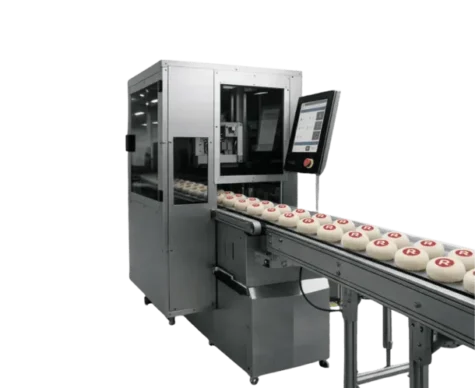
Inline (Single Pass):
- Print system built directly into the production line
- Product moves on a conveyor at constant speed
- Print synchronized with line takt
- Best fit: mass production, stable takt, high automation
Near-line (Standalone):
- Autonomous print station near the main line
- Manual handling or robotic feed
- Maximum format and substrate flexibility
- Best fit: high variability, prototyping, short runs
Predictive maintenance
Modern digital print systems offer:
- Real-time printhead parameter monitoring
- ML algorithms detecting failure-precursor patterns
- Automated alerts 24-48 hours ahead of failure
- Service planning during scheduled downtime instead of emergency intervention
Results:
- 30-50% reduction in unplanned downtime
- Optimized spare parts inventory
- Lower service costs (planned vs emergency)
When to choose screen printing, when to choose digital
Both technologies have their right use cases. The choice between screen printing, digital printing, or wide-format depends on the project type, expected color palette, run size, and personalization requirements. Consulting professional printers can help you determine the best method and preferred choice for your specific project needs, ensuring you achieve the desired quality and results. Screen printing handles personalized items like pens, mugs, and umbrellas. It also delivers consistent print repeatability across an entire run, which matters on larger orders. Below is a decision matrix based on the key criteria.
Screen printing – the right call when:
- Run size is very large (50,000+ pieces of one design)
- The design stays stable over time
- A thick ink layer is required (traditional special effects)
- Special-property inks are needed (conductive, phosphorescent)
- Existing screen printing infrastructure is fully amortized
- Personalization isn’t required
- Time-to-market isn’t critical
Digital UV printing – the right call when:
- Run size is small or medium (under 20,000 pieces)
- The design changes often (campaigns, versions, variants)
- Personalization or serialization (VDP) is needed
- You print many SKU variants
- Time-to-market matters
- MES/ERP integration is required
- Environmental impact (ESG) matters
- You print on 3D objects with complex geometries
- Single-pass special effects are part of the deliverable
- Operational flexibility is the priority
The hybrid model
Many companies run a hybrid setup:
- Screen printing for large, stable baseline runs
- Digital UV for variants, personalization, and short runs
This model balances cost optimization with operational flexibility.
Decision scenarios
| Scenario | Recommendation | Why |
|---|---|---|
| 100,000 pieces of one design per year | Screen printing | Scale advantage, low unit cost |
| 10,000 pieces across 50 variants | Digital UV | Screen prep costs are too high |
| Seasonal production (4 campaigns/year) | Digital UV | Flexibility, no screen storage |
| Pharma serialization | Digital UV | The only option for VDP |
| Premium promotional gifts | Digital UV | Special effects, low runs |
| 50,000 pieces of workwear | Screen printing | Textiles, large run |
Implementation guide: From decision to production
Phase 1: Feasibility analysis and ROI (4-6 weeks)
Step 1: Map your current processes
- Inventory every marking operation in the plant
- Identify costs: materials, labor, downtime, storage
- Measure KPIs: line OEE, average changeover time, scrap percentage
- Identify pain points across production teams
Step 2: Define requirements
- List of substrates to print (with thickness and specs)
- Product geometries (flat, cylindrical, 3D)
- Throughput requirements (line takt, pieces/hour)
- Quality requirements (resolution, adhesion tests)
- Personalization/VDP needs
Step 3: Build the business case
- 5-7 year TCO model (CAPEX + OPEX)
- Break-even analysis vs current technology
- Scenario modeling: pessimistic, realistic, optimistic
- Hidden cost inclusion (storage, downtime, waste)
Phase 2: Technical verification (2-4 weeks)
Proof-Lab – material testing
- Send actual materials to the supplier’s lab
- Adhesion testing (cross-hatch test ASTM D3359, target: class 5B)
- Resistance testing: abrasion, chemical, UV aging
- Process profile development (primer + ink + UV power)
Acceptance criteria (Definition of Done):
- Color tolerance (ΔE ≤ 2)
- Mechanical/chemical resistance per industry standards
- Defect rate ≤ 2%
- Required takt/throughput
- Noise level ≤ 70 dB(A)
Phase 3: Design and integration (8-16 weeks)
Mechanical design:
- Machine positioning in the production hall
- Integration with conveyors and material transport
- Tooling design (jigs, fixtures)
- Service access provisioning
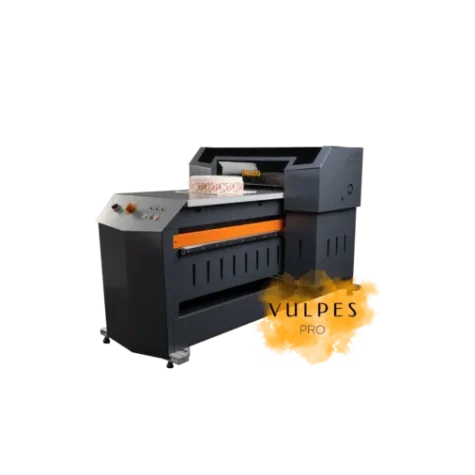
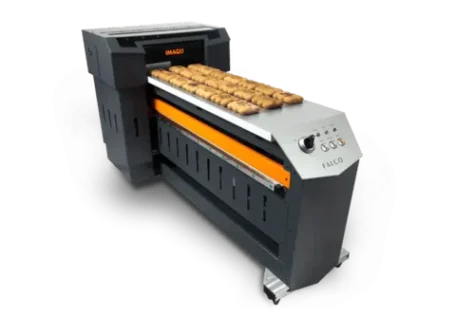
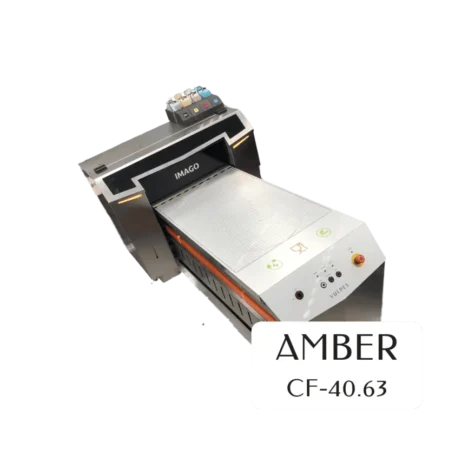
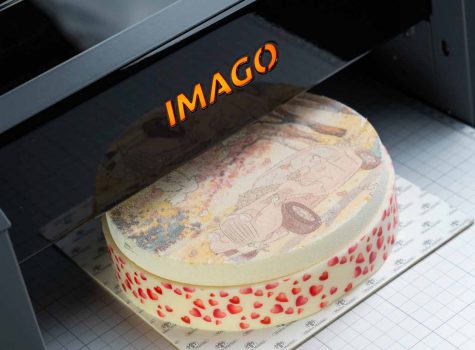
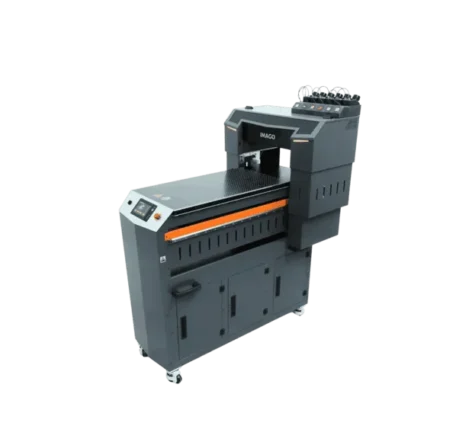
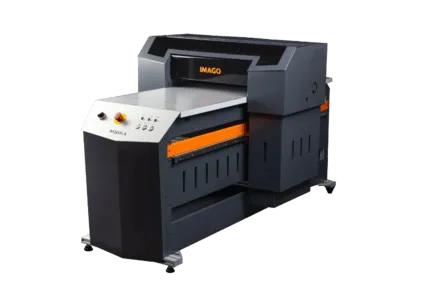
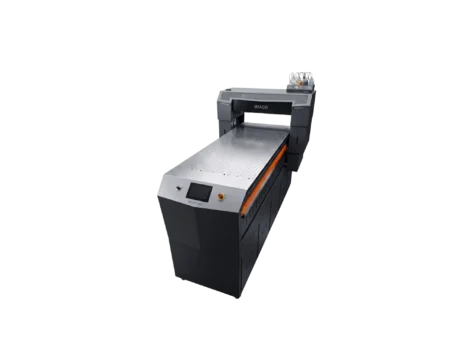
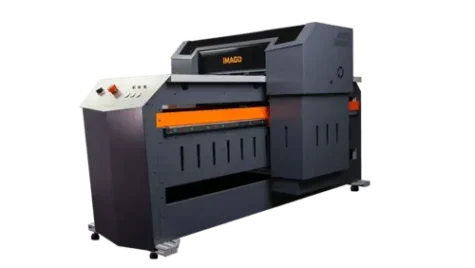
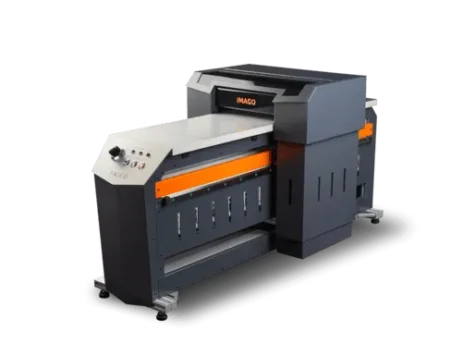
System integration: Modern IMAGO UV LED printers integrate with various production systems and print on multiple substrates.
- MES/ERP connection (API, OPC UA)
- Data flow configuration
- Communication testing
Infrastructure:
- Electrical supply
- Compressed air (where needed)
- Ventilation (minimal requirements for UV LED)
Phase 4: Commissioning and optimization (4-12 weeks)
Training:
- Operators: 2-3 days (daily operation, basic troubleshooting)
- Maintenance technicians: 3-5 days (servicing, advanced diagnostics)
- Quality control: 1-2 days (measurement methods, calibration)
Ramp-up:
- Start with one product/SKU at low risk
- Gradually scale up volume
- Monitor KPIs and optimize
- Build a material profile library
Typical timeline: 4-9 months from decision to full production.
FAQ
Is digital UV printing more durable than screen printing?
Durability comes from the combination of technology, substrate, and process. With proper surface preparation (plasma/corona activation) and the right UV ink, digital printing reaches adhesion and resistance comparable to or better than screen printing. The lab verification (Proof-Lab) before any production decision is what matters. Both technologies can hit the highest durability standards when chemistry is matched to the application.
What’s the realistic ROI period for digital UV printing?
ROI depends on your production profile. Typical ranges:
- High-Mix/Low-Volume production: 18-30 months
- Mass production with personalization (VDP): 24-36 months
- Replacing expensive variant logistics: 12-24 months
Key factors that speed up ROI: monthly changeover count, storage costs, and how much you actually use personalization options.
Can digital UV printing fully replace screen printing?
Not in every scenario. Screen printing stays competitive for:
- Massive uniform runs (over 100,000 pieces)
- Special effects that require very thick ink layers
Many plants run a hybrid model: digital for flexibility and short runs, screen printing for large stable production.
Does digital printing need specialist operator training?
Modern digital print systems are built around operator-first design. Basic operator training takes 2-3 days and covers job loading, print start, material changes, and basic troubleshooting. The HMI is intuitive and usually touchscreen-based. Daily operation doesn’t require specialized print industry qualifications.
What materials can you print on with digital UV?
Practically every industrial substrate:
- Plastics: PP, PE, ABS, PS, PMMA, PC, PVC, PA
- Metals: aluminum (including anodized), steel, stainless steel
- Glass: standard and tempered
- Wood and laminates: raw, lacquered, HPL, MDF
- Composites and construction materials
The Proof-Lab process is what matters – testing adhesion on the customer’s actual substrates before any investment.
How does energy use compare between screen printing and digital UV?
Digital UV LED uses 70-90% less energy than screen printing lines with drying tunnels. UV-LED lamps draw power only at the curing moment (fractions of a second) and don’t generate heat. That also cuts production hall HVAC costs.
Does screen printing produce more waste than digital?
Yes. Screen printing produces significant waste:
- Used emulsions and screen developing chemistry
- Cleaning solvents
- Expired or unused inks
- Hazardous waste needing specialized disposal
Digital UV produces minimal waste (mostly ink packaging) and doesn’t require process chemistry.
Which technology is better for personalization?
Digital UV is the only option for mass personalization (VDP – Variable Data Printing). It changes the content of every print without stopping the machine. Screen printing personalization would require changing the screen for every piece, which is economically and technically impossible.
How fast can you start production on a new design?
- Screen printing: 2-8 hours (screen prep, registration, startup)
- Digital UV: 5-15 minutes (file load, profile setup)
That gap matters when designs change frequently or you produce many SKU variants.
Is digital UV printing suitable for mass production?
Yes – especially Single Pass technology. Single-pass systems print at production line speed (up to 30 m/min) and are designed for inline integration. They handle mass production well, particularly when:
- Personalization or versioning is required
- Production covers many SKU variants
- MES/ERP integration is needed
Summary
The screen printing vs digital UV comparison doesn’t end with a single verdict. Screen printing, as a traditional method, offers high durability and high print quality. Other strengths include weather resistance, raised print effects, and fast delivery on large orders. Both technologies have their right applications and can coexist in a modern production plant.
Screen printing – core strengths
- Lowest unit cost on very large runs
- Excellent durability and thick ink coverage
- Proven technology with decades of history
- Wide range of special inks
- Optimal for stable, mass production
Digital UV printing – core strengths
- Flexibility and fast changeovers
- Personalization capability (VDP)
- Low setup costs
- Industry 4.0 integration
- Environmental upside (ESG)
- Single-pass special effects
- Optimal for agile, variable production
The strategic call
For companies looking for:
- Stability and low cost on mass production → screen printing stays an excellent choice
- Flexibility, personalization, and digitalization → digital UV is a necessary step
More and more companies adopt the hybrid model, combining both technologies. The starting point is an honest analysis of production profile, quality requirements, and growth plans. Only on that basis can you make a sound investment decision.
Next steps
- Map your current process – identify costs and pain points
- Define requirements – substrates, run sizes, personalization needs
- Run TCO analysis – compare full costs of both options
- Use Proof-Lab – verify quality on your actual materials
- Decide – pick the option that matches your needs